Play Ocarina of Time on PC with Ocarina Recomp — as a native Windows program
Ocarina Recomp takes the game's code, translates it to C and compiles it as a real Windows program on your PC, converting the graphics to Vulkan. Everything happens from your own copy of the game: the download contains no game, no keys and no game executable. The usage steps take about a minute, the FAQ answers the rest, and the Ocarina of Time on PC guide compares this route with emulators.
Download
Usage
- Grab
Ocarina.EMU.v0.3.0.zipfrom the downloads page and extract the whole zip to a folder — the installer needs the files around it. - Run
Instalar-Ocarina.exeinside. It installs nothing into Windows and asks for no administrator rights; it is unsigned, so if SmartScreen warns, choose More info → Run anyway. - Point the installer at your own copy of the game. It translates the code, converts the graphics and compiles
ocarina.exe— this takes a while and about 27 GB of free space. - Play. Your saves live in the install's
perfil\savefolder — they are plain files you can back up.
See it working
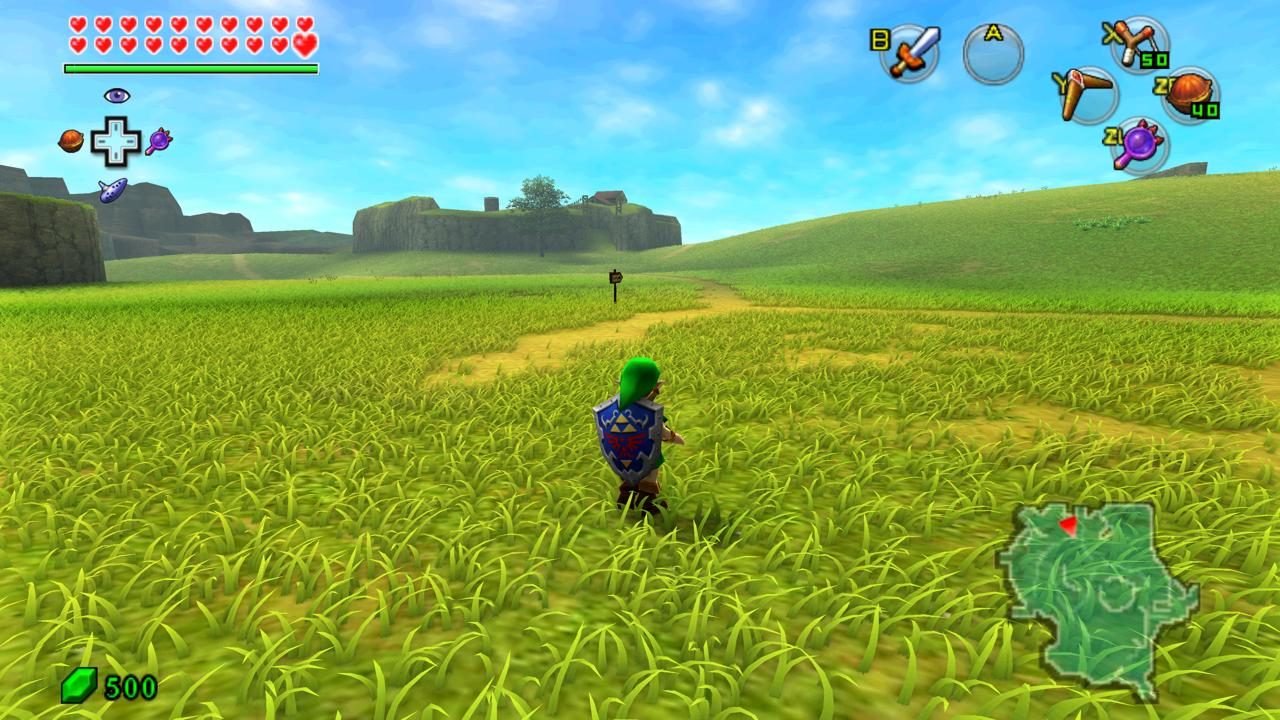
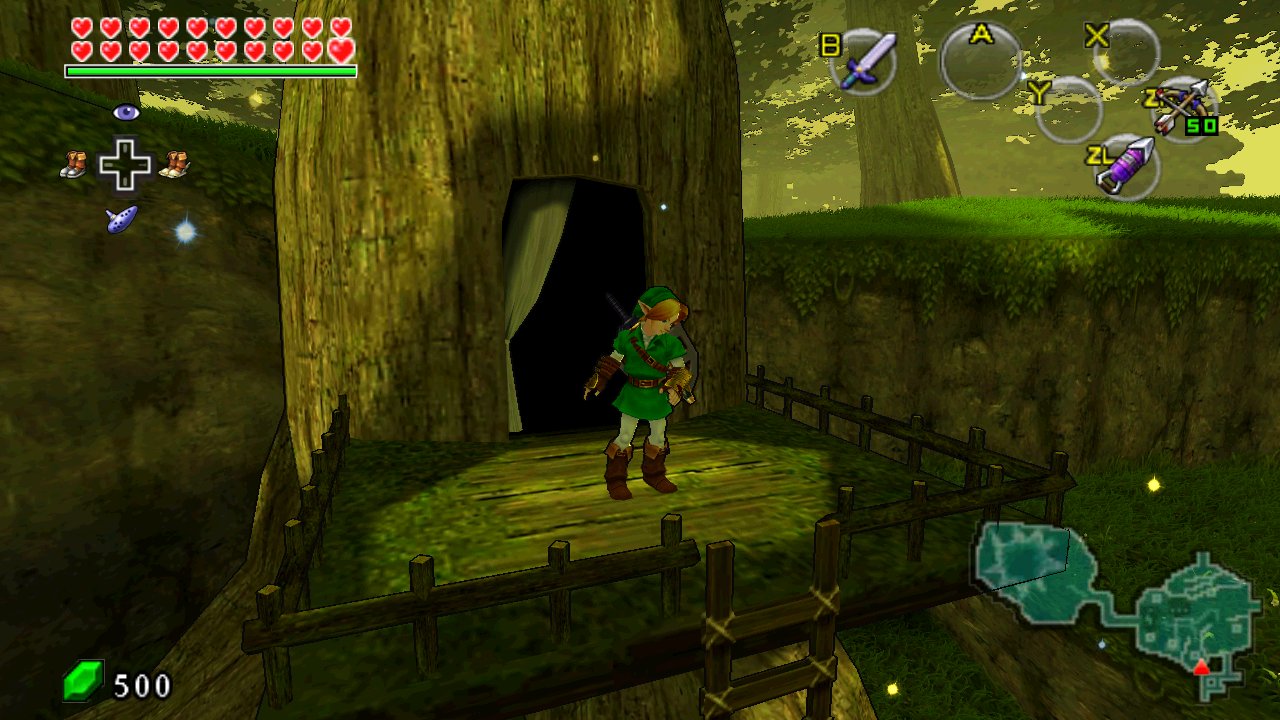
What the installer needs from you
Your own copy of the game, in one of the two forms it accepts:
- your game's
.nupfile, or - a folder with the game's
exefsandromfs.
Both come from a console you own — getting your copy into one of those forms is on you, and the projects deliberately do not document where to download one. The same rule covers what the installer produces: it comes from your game, so do not share it — not the exe, not the generated code, not the shader cache, not the saves.
Project status
Experimental: so far it has been tested on one PC (Ryzen 9 9950X3D, RTX 5090), around the start of the game:
| What | Status |
|---|---|
| Opening + new game, up to the Deku Tree | Works |
| Kokiri Forest: trees, plants, houses, light | Works |
| Sound, controls, saves, cutscenes | Works |
| Performance (RTX 5090) | ~59 fps standing, 51–55 walking |
| Stutter entering new areas | Still happens, mostly the first time |
| Playing the ocarina | Fix applied, untested in game |
| Hyrule Field and the rest of the game | Untested |
| AMD and Intel GPUs | Never tested |
About Hookshot
Since November 2026, we recommend Hookshot for actually playing: it compiles the game on your PC from your copy the same way, and in their own RTX 5090 comparison both hold 60 fps while Hookshot draws at a higher resolution and renders vegetation better (the Temple of Time courtyard bushes, for example). This repository stays as our Portuguese support point, and our fixes land in Hookshot as contributions. Your saves keep working in both — they are the same files.
FAQ
- What is Ocarina Recomp?
- It translates the game's code to C and compiles it as a native Windows program on your PC, converting the graphics to Vulkan. The result is a real Windows executable built from your own copy of the game.
- Is the game included in the download?
- No. The download contains no game, no keys and no game executable, and it does not explain how to get them. You need your own copy; the installer builds everything else from it on your PC.
- How well does it run?
- Experimental, tested on one PC (Ryzen 9 9950X3D, RTX 5090): the opening through the Deku Tree works, Kokiri Forest looks right, sound/controls/saves/cutscenes work, roughly 59 fps standing and 51–55 walking. Expect first-time stutter entering new areas. AMD and Intel GPUs are untested.
- Does the installer need administrator rights?
- No. It writes nothing into Windows and asks for no admin. It is unsigned, so SmartScreen may warn: choose More info → Run anyway.
- What about Hookshot?
- Since November 2026 we recommend Hookshot for actually playing: same build-on-your-PC approach, higher rendering resolution and better vegetation. Your saves carry over — they are the same files.
- Where can I get Ocarina Recomp safely?
- From this site or from the official GitHub releases page. Watch out for fake builds on forums and file sharing sites.
- Is this legal?
- The tool ships no game content: you build everything from your own copy. What the install generates — the exe, the generated code, the shader cache, the saves — comes from your game: do not share it.
Changelog
0.3.0 (November 9, 2026)
- Current stable release: opening through the Deku Tree playable on the reference PC
- Sound, controls, saves and cutscenes working
0.3.1–0.3.4 (November 9–11, 2026)
- Test builds — take them from the GitHub releases page
November 2026: the Hookshot pivot
- We now recommend Hookshot for playing; this repo remains our Portuguese support point
- Fixes from here are contributed to Hookshot; saves are interchangeable
Disclaimer
Ocarina Recomp is our project — free, open source, archived here. It is not affiliated with Nintendo; the game and all related names belong to their owners. You must own your copy of the game, and what the installer generates from it must not be shared. The we publish the source code on GitHub.