Play Ocarina of Time on PC in 2026: compiled port vs emulator
There are two ways to play Ocarina of Time on PC today: a traditional emulator that simulates the whole console, or a recompiled port like Ocarina Recomp that translates the game's code to C and builds a real Windows program on your machine. Both require your own copy of the game. This guide compares them and walks the recomp route step by step.
Download
Emulator vs recompiled port
| Emulator | Ocarina Recomp | |
|---|---|---|
| What it is | Simulates the console hardware | Compiles the game into a native Windows exe |
| Graphics | Emulated GPU pipeline | Converted to Vulkan |
| Maturity | Decades of polish | Experimental: opening region verified so far |
| Measured here | — | ~59 fps standing, 51–55 walking (RTX 5090) |
The honest answer for playing today: we ourselves recommend Hookshot — same build-on-your-PC method, higher resolution and better vegetation — while this repo stays the support point. Saves are interchangeable between the two.
The port in action
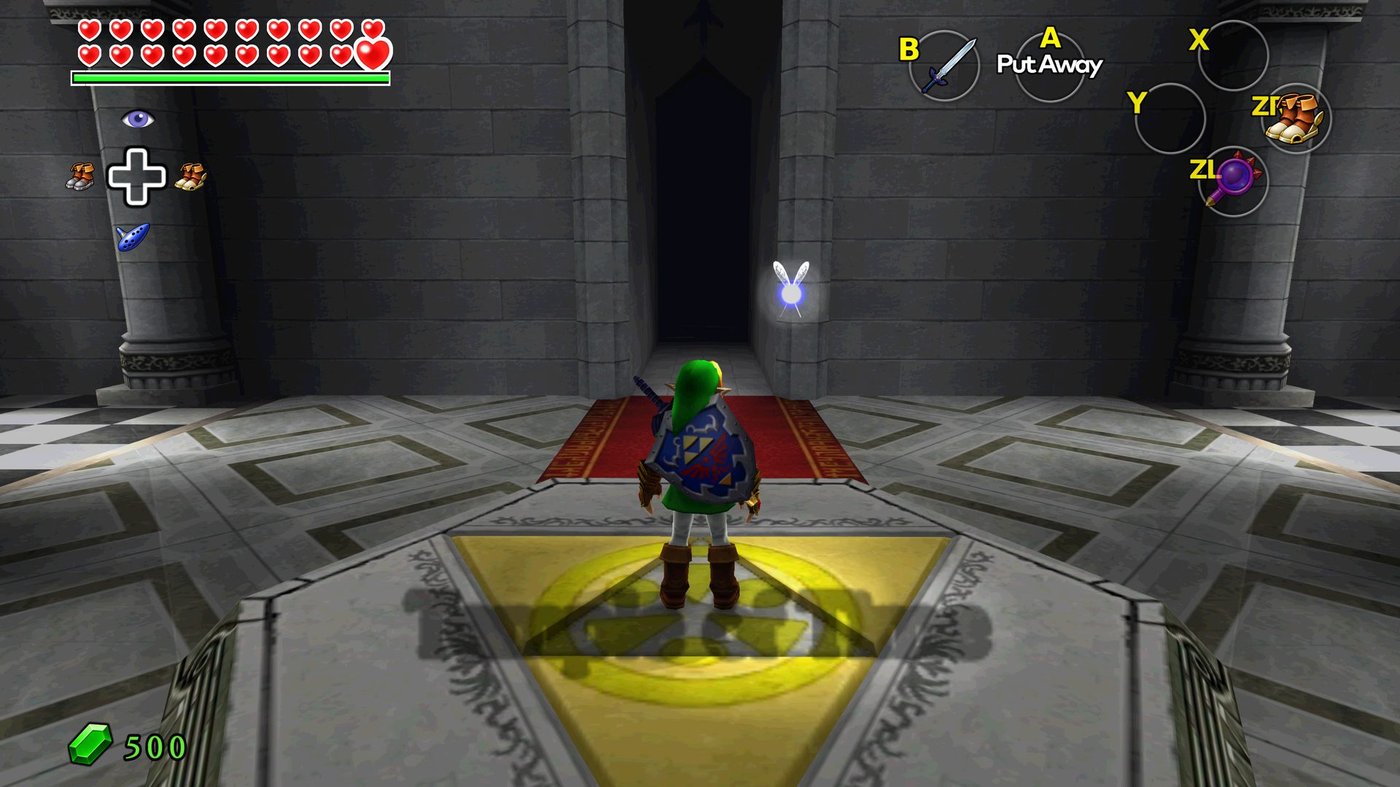
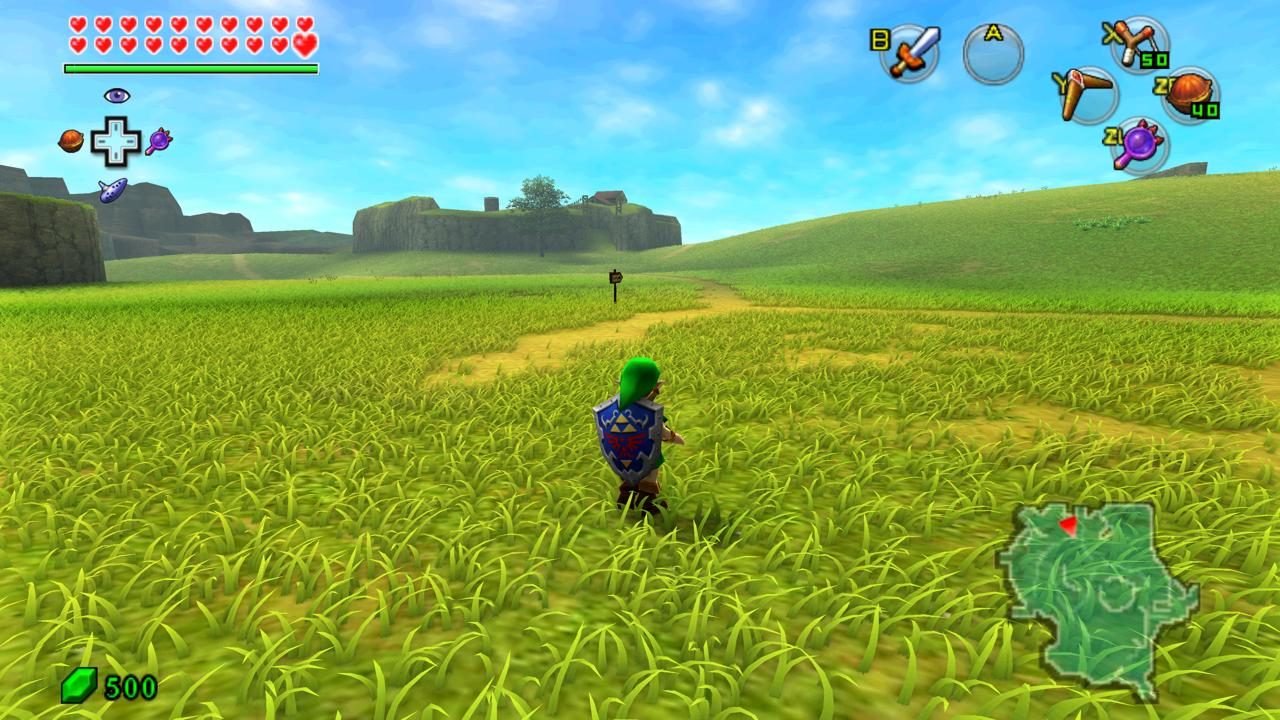
The recomp route, step by step
- Download Ocarina Recomp 0.3.0 and extract the whole zip to a folder.
- Run
Instalar-Ocarina.exeinside. No administrator rights needed; it is unsigned, so SmartScreen may warn — More info → Run anyway. - Point the installer at your own copy of the game. It translates the code, converts the graphics to Vulkan and compiles
ocarina.exe. Budget a while and about 27 GB of free space. It accepts your game's.nupfile or a folder with the game'sexefsandromfs. - Play. Saves live in
perfil\saveas plain files.
Where the copy comes from is on you — dump it from a console you own; the projects deliberately do not document where to download one. Whatever the installer builds from your copy must not be shared either.
FAQ
- Can you play Ocarina of Time on PC?
- Yes, two ways: an emulator that simulates the console, or a recompiled port like Ocarina Recomp that builds a real Windows program on your PC from your own copy. Both need you to own the game.
- Is the recompiled port better than an emulator?
- For this game it behaves like a native Windows app: Vulkan graphics, about 59 fps standing on the reference RTX 5090 machine. It is experimental though — only the opening region is verified so far, and only NVIDIA has been tested.
- Do I need the game to use Ocarina Recomp?
- Yes. The download ships no game, no keys and no game executable: the installer translates and compiles everything from your own copy on your PC. What it generates must not be shared.
- Does Ocarina Recomp work on AMD or Intel GPUs?
- Nobody has tested them yet. The only verified machine is a Ryzen 9 9950X3D with an RTX 5090. Vulkan support is all the port needs in principle, but treat AMD and Intel as uncharted.
- Is playing Ocarina of Time on PC legal?
- The tool ships no game content and tells you to build from a copy you own. Laws differ by country, but the design is: your copy, your build, your PC — and the output is never redistributed.
- Where do my saves go?
- In the install's
perfil\savefolder as plain files you can back up. They are the same files the Hookshot build uses, so they carry over.